Amazon made this model famous. If you've ever set up an automatic delivery for coffee or dog food on Amazon and noticed a small discount applied at checkout, that's Subscribe & Save in action. Amazon's Subscribe & Save program caps the customer discount at 15% (5% base plus 10% bonus for five or more items per delivery) - and that anchor has become the rough industry default, even for Shopify merchants who don't compete with Amazon directly. The idea is straightforward: the customer commits to buying regularly, and in return the merchant gives a little back on price.
What makes it effective for Shopify merchants is how it lowers the psychological barrier to signing up. Customers don't feel they're being "locked in" to something - they're choosing a convenient way to get something they'd buy anyway, at a slightly better price. That framing matters. It shifts the conversation from "will you commit?" to "do you want to save a bit on your next order?"
The result, done well, is a more predictable revenue stream, higher purchase frequency, and better long-term retention than one-time purchases alone can offer. The economics back this up: Eightx's 2026 DTC benchmark reports subscription customers generate 3–5x the lifetime value of one-time buyers at equivalent gross margins. This guide explains exactly how the model works, which products fit it well, what discount to start with, and how to get it running on your Shopify store.
How Subscribe & Save Works
The mechanics are simple once you see them laid out. Here's the full flow from the customer's perspective:
- A customer lands on a product page in your Shopify store.
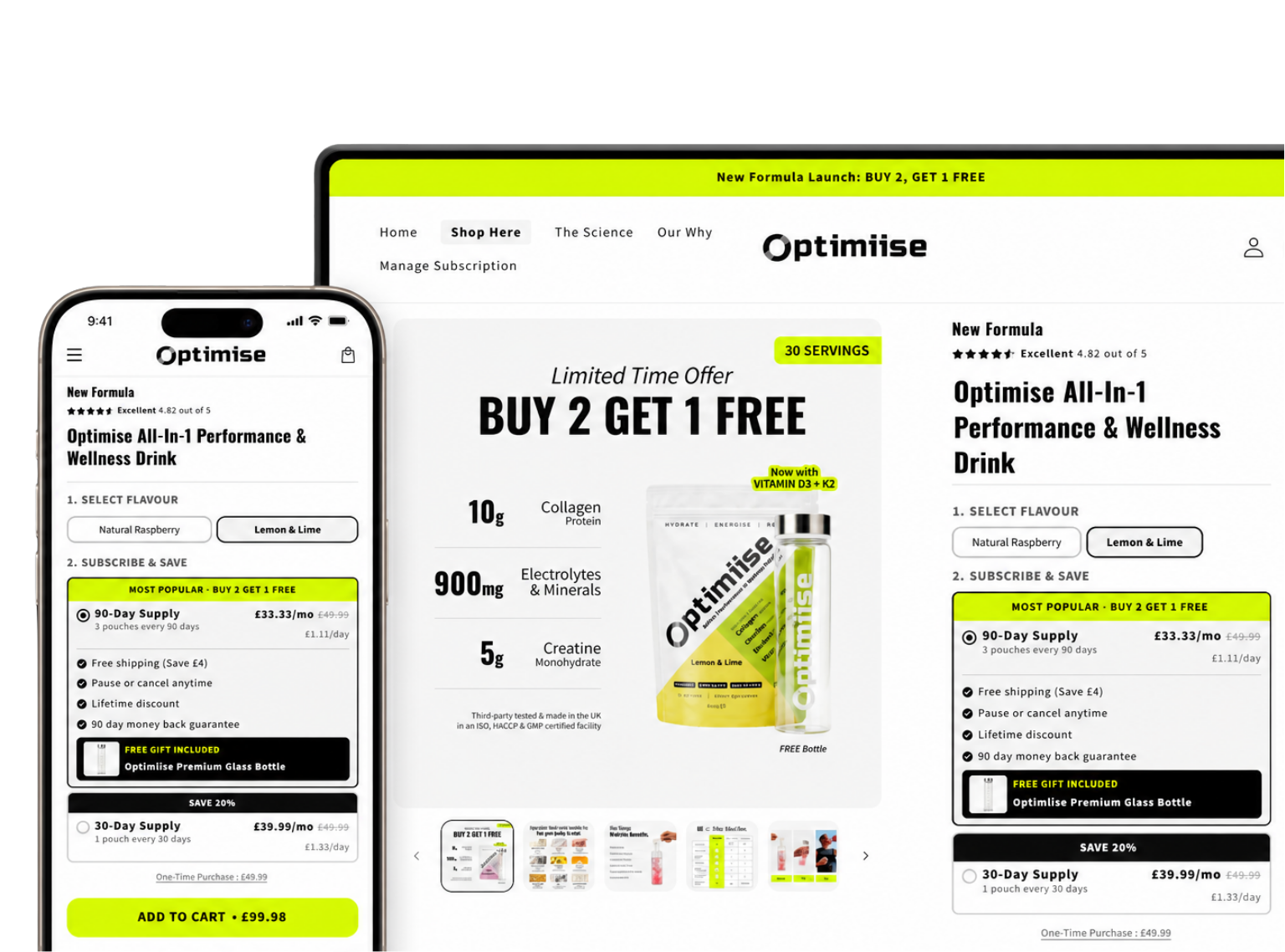
- They see two purchase options: Buy once (regular price) or Subscribe & Save (discounted price, recurring).
- They select a delivery frequency - every two weeks, every month, every 60 days, etc.
- They check out as normal. The subscription discount is applied automatically.
- At each interval, Shopify charges their card automatically and generates a new order in your store.
- The order is fulfilled and shipped the same way any other order would be.
Between deliveries, the customer has full control from a self-service customer portal. They can skip an upcoming order, pause the subscription, change the frequency, swap the product variant, update their address, or cancel - all without contacting your support team.
From your side as a merchant, each billing cycle creates a real order in Shopify, so fulfilment works exactly the same as one-time orders. You get the revenue, the order shows up in your dashboard, and your warehouse or 3PL handles it normally.
Subscribe & Save vs. Subscription Box: What's the Difference?
A subscription box asks the customer to trust your taste. Subscribe & Save only asks them to stop re-ordering something they already buy. One of those is a much smaller thing to ask.
These two terms get mixed up often. They're both subscription models, but they work very differently - and suit different kinds of stores.
| Subscribe & Save | Subscription Box | |
|---|---|---|
| What the customer gets | The same product they chose, on repeat | A curated box of items, often a surprise |
| Who picks the product | The customer | The merchant (or a team) |
| Pricing model | Discount off the standard one-time price | Fixed box price, set by the merchant |
| Best for | Consumables, replenishables | Curation, discovery, gifting |
| Customer motivation | Convenience + savings | Excitement, discovery, community |
Neither model is better - they suit different product types and customer relationships. A coffee roaster, for example, might run Subscribe & Save on their individual bags (so existing fans can auto-reorder their favourite roast) and a discovery box for new customers who want to try a new roast each month. Some stores run both.
The short version: if your product is something people already buy on a predictable schedule, Subscribe & Save is usually the cleaner fit. If the value comes from curation and surprise, a subscription box makes more sense.
What Discount Should You Offer?
This is one of the most common questions we hear, and the honest answer is: there's no single right number. But there are useful starting points.
The common range is 10–20% off the one-time price - which aligns with the broader industry benchmark per Recurly's subscription pricing research, which shows industry medians fall between 10–30% across tiers. Here's how to think about where to land:
- Below 10%: Often not enough to motivate sign-ups. Customers see the small saving and decide it's not worth the commitment, even when the commitment is low-friction. You may get some subscriptions, but the conversion rate on the subscribe option tends to be low.
- 10–15%: Where most stores start. Meaningful enough that customers notice it, sustainable enough that it doesn't immediately hurt margins. A reasonable place to begin testing.
- 15–20%: Works well for higher-margin products - supplements, specialty food, skincare. The larger saving shifts the decision more clearly toward subscribing.
- Above 20%: Can work for some categories, but check your margins carefully before going here. It's easy to acquire subscribers at a discount that costs more than the lifetime value gains.
Our honest advice: start at 10–15% on one or two products, watch your subscription conversion rate and your margin, and adjust from there. Don't try to optimise across your whole catalogue on day one. Test small, then expand what's working.
Which Products Work Best?
Subscribe & Save works best when a customer would realistically reorder the product every four to eight weeks without much thought. That's the practical test to apply.
Good fits:
- Supplements and vitamins (monthly supply is a natural interval)
- Coffee and tea (consumable, often brand-loyal)
- Pet food and treats (regular purchase, often high repurchase rate)
- Cleaning and household products (predictable consumption)
- Skincare and beauty (consumable, routine-based)
- Baby products (high-frequency, convenience-driven)
Poor fits:
- Furniture and home goods (no natural reorder cycle)
- One-size or one-time products (gifts, novelty items)
- High-consideration purchases (electronics, premium apparel)
- Anything the customer only needs to buy once
The underlying logic is straightforward: subscriptions work when the product fits into a routine. If your customer has to think about whether they need the next order, the subscription is likely to lapse. If they'd wonder where their order is if it didn't show up, you have a strong candidate.
What Customers Experience
Discount tip: Set the discount high enough to change behaviour and low enough to survive it. Most merchants land between 10% and 15% - deep enough that subscribing is obviously the better option, shallow enough that you are not funding a habit at a loss.
Walking through the full customer journey is useful, because a lot of what makes Subscribe & Save work is what happens after the first order.
On your product page, the customer sees the subscription option with the discount clearly shown. A well-designed widget makes the saving obvious without being pushy. The frequency selector lets them choose the interval that suits their usage.
At checkout, the discounted price is applied automatically. The experience is the same as any other Shopify checkout - no extra steps.
After the first order, the customer receives a confirmation email. Depending on your setup, they'll also get a reminder before each upcoming order so it's never a surprise charge.
Between orders, the customer can log in to their self-service portal and manage everything themselves: skip the next delivery if they're travelling, pause for a month, change how often they receive orders, update their shipping address, or cancel. No support tickets required.
This last point is worth emphasising. Customer control is what makes Subscribe & Save feel different from being locked in. When customers know they can leave at any time without friction, they're more willing to sign up in the first place - and more likely to stay because they genuinely want to, not because leaving is inconvenient. That's a healthier relationship than retention by friction.
How to Set Up Subscribe & Save on Shopify
Shopify doesn't include Subscribe & Save functionality out of the box. To offer it, you need a subscription app - the app handles the recurring billing logic, the customer portal, the dunning (payment recovery), and the subscribe option on your product pages.
Joy Subscriptions - our app, so take that context as you will - includes Subscribe & Save on all plans, including the Free Forever plan ($0/month, up to 50 active subscriptions). You can add the subscribe widget to your product pages, set your discount percentage, configure delivery frequencies, and have a working Subscribe & Save setup live on your store at no cost to start.
For the full step-by-step walkthrough, we've written a dedicated guide: How to Add Subscriptions to Your Shopify Store. We also have a full tutorial on setting up Subscribe & Save specifically in Joy - covering the widget, discount configuration, frequency options, and customer portal - which we'll link here once it's live.
If you're migrating from another subscription app, Joy offers free migration with a named support contact who handles the transfer of your active subscribers, billing dates, and order history.